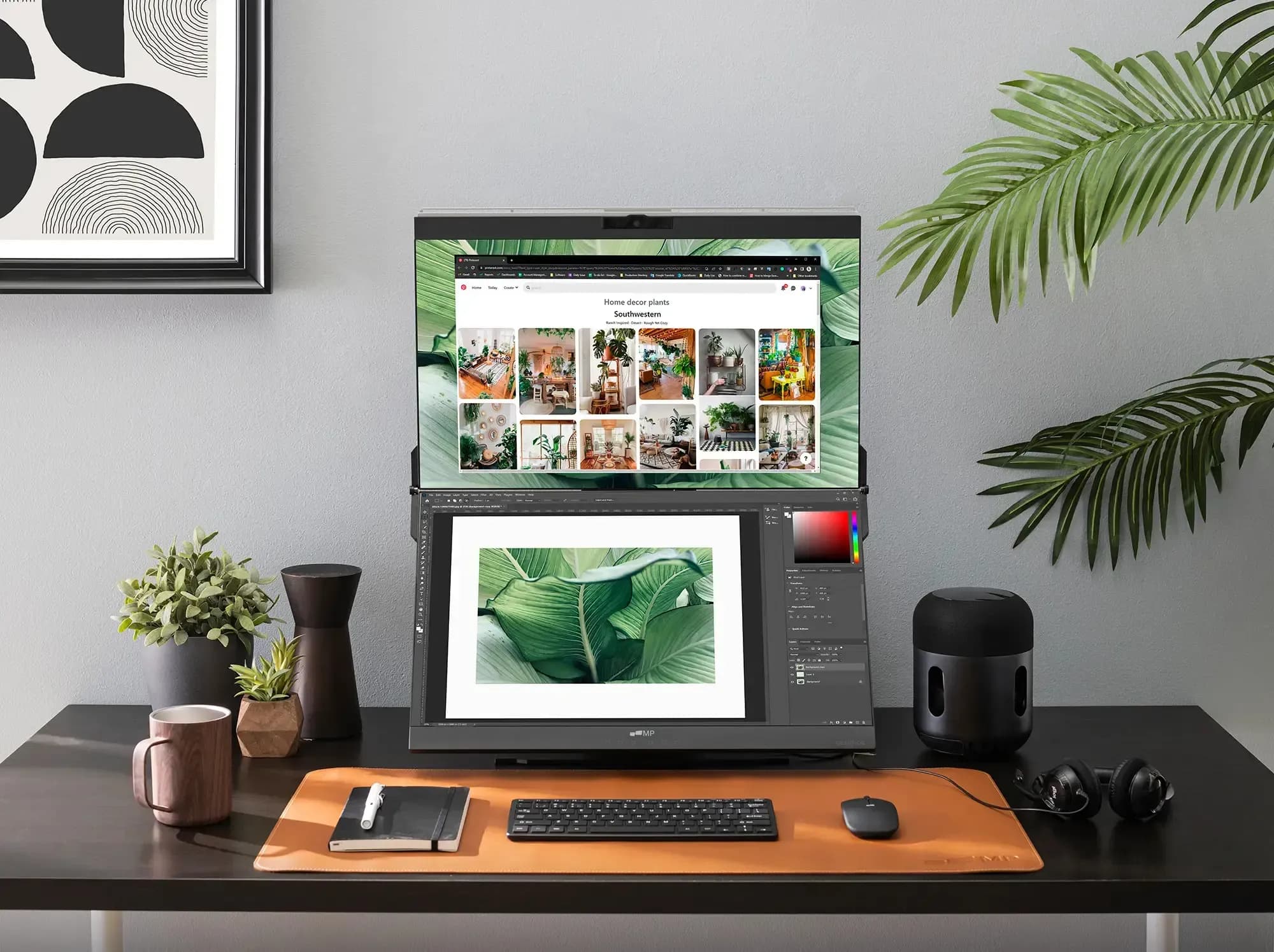
Is your office desk drowning in tasks and tabs, cluttering it so you can’t focus on your work? Don’t worry. Finding the right space for all your work tools can be a real challenge, especially in a busy office environment.
This is why handy tools such as stacked monitors have become the perfect and simple solution for office workers who want to save desk space and improve their productivity. Today, we will explore how these monitors can transform your workspace and how they can be seamlessly implemented.
Effect of Stacked Monitors on Productivity
Extended Workplace
Such monitors provide additional screen space, perfect for professionals who must multitask by having two concurrent applications running concurrently. It’s the best arrangement for handling intricate projects without the added inconvenience of resizing and window switching, facilitating smoother and easier multitasking.
Quicker Workflow
With vertical stacking, you will also significantly reduce the need to switch between windows. This minimization of window switching will further accelerate your work, enabling you to maintain increased momentum and concentration without any unwarranted breaks or diversions.
Task Segmentation
Grouping various activities vertically, such as emails at the top screen and spreadsheets at the bottom, improves cognitive clarity. Physical compartmentalization helps maintain attention toward particular activities, reducing confusion and mental overload during peak work hours.
Improved Collaboration
Stacked monitors allow easier sharing of information during meetings or group work. Multiple displays simultaneously encourage smoother communication and faster information retrieval, increasing the team’s productivity.
Use Cases in Corporate Settings
In a corporate setting, stacked displays become indispensable to financial analysts, who constantly have to compare real-time information to detailed reports without having to flip between displays. Programmers and developers can equally benefit from managing code on one screen while viewing documentation or debugging tools on another, thus increasing productivity.

Project managers relish having stacked monitor like Geminos to manage timelines, project plans, and communications simultaneously. Customer support teams, which have to work with several CRM tools and knowledge bases, can use these screens to have all this information at eye level. This arrangement makes the workflow easy to manage and eliminates the window-swiping frustration of repeatedly opening several different windows during the day.
Selecting the Ideal Stacked Monitor Setup
Monitoring Selection
Opt for a monitor size that is best suited to the space available on your desk while making sure you get a screen with a minimum 1080p resolution for sharp text and images. Balanced resolution and size help reduce eye strain, allowing you to work for hours at a time without feeling fatigued in a corporate setup.
Mount Options
Search for adjustable stands, such as VESA-compliant mounts, or ergonomic arms for vertical stacking. These allow flexibility in aligning the screen perfectly, allowing you to personalize the setup for optimal comfort and productivity during prolonged work hours.
Cable Management
Prioritize tidy cable organization to maintain a clean and professional desk appearance. Use clips, sleeves, or under-desk trays to route cables neatly, reducing clutter and minimizing distractions, which supports a more focused and efficient workspace.
Configuring Stacked Monitors in the Workplace
When setting up stacked office displays, organize desk space to promote comfort and convenient accessibility and avoid clutter. Connect the displays and adjust settings to encourage seamless functionality. Set the height and angle to support comfortable ergonomics and eliminate strain during prolonged working hours. Proper setup with stacked displays can maximize productivity and comfort.
Finale Thoughts
Stacked monitors aren’t just a stylish setup—they’re a smart upgrade for maximizing focus, comfort, and productivity in the fast-paced modern office. Interested in improving your workflow and productivity? Try stacked monitors, a professional, space-efficient solution to achieve a modern corporate office workspace.